
Right. October is upon us and you all know that means we have to kick things off with an app video. I’ve got a few great apps for you guys to try out, be it for normal phone usage, sport coverage and an app for you students out there that’s set to ease your academic life . I’ll leave links to these apps below for you to go and check them out. It would also make my day if you guys would head over to my YouTube channel and watch this video and subscribe to it while there and turn that bell on so you receive post notifications and without further ado. Let’s get started.
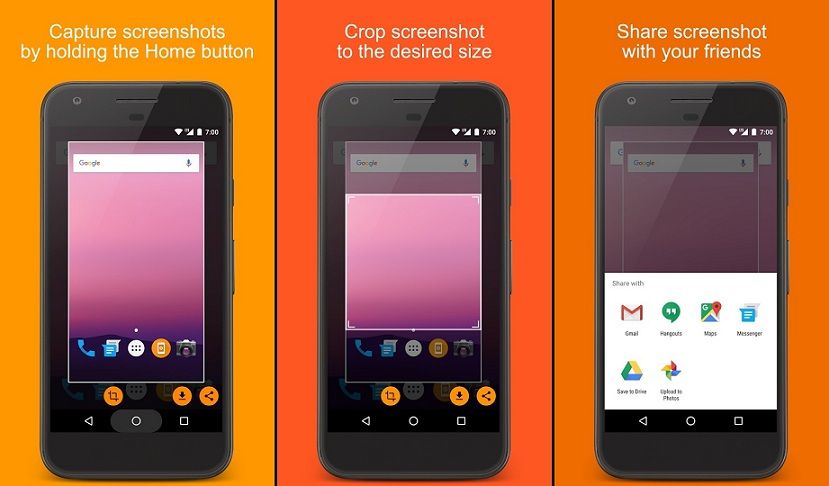
First app on the list is called, SCREENSHOT ASSISTANT .This app basically remaps your home button and enables you to take a screenshot of your screen by pressing and holding the home button. It also allows you to quickly crop, save or send the screenshot across all your social media. It’s particularly helpful if one of the combo buttons you use to take a screenshot isn’t working anymore or when you just want to screenshot that meme quickly and share it with your friends. The app is simple and straightforward to use.
Next app is the LESS PHONE LAUNCHER. This is an app for you guys out there who are addicted to your phones and really want to unhook themselves from that addiction. The app basically gives you access to a couple of apps of your choosing and will limit your phone usage across those 4 apps only. Say you want to cut your social media addiction, you can select the basic apps you use on a daily, be it the calculator, camera, contact, your to do list etc and the app limits you to those apps only. The app is pretty simple to set up and use but still overall discipline remains with you. If you really want to cut down that addiction, staying true to the custom apps you choose remains utterly up to you.
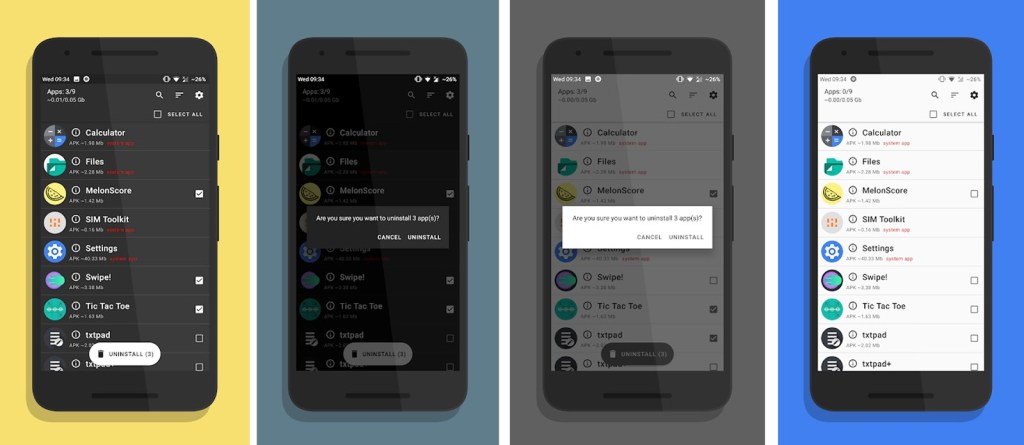
Next app on the list we have UNAPP. Now if you’re like me, a person who tries out tons and tons of apps, you definitely feel the urge to de-clutter your phone of unnecessary apps.. As the name suggests, this is an app Uninstaller that uninstalls multiple apps you select quickly and easily. Just select all the apps you want to uninstalls and click uninstall. You then just have to click okay when the prompt to uninstall comes up. Saves you time compared to uninstalling the apps one by one. You can also use a left swipe on the app to uninstall it. Pretty easy and convenient.
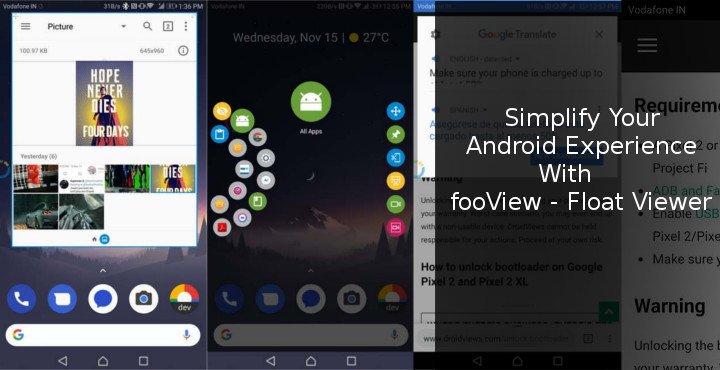
Next app on the list is Foo-View. What this does is it introduces an overplayed button on your screen that helps you carry out tons and tons of tasks on your phone. After you allow the app it’s permissions, you can place the ball wherever you want on the screen, swipe to the left on the ball to go back. Tap and swipe down to drag your notifications panel down. Swipe down to access your recent apps, swipe up on it to access the in app shortcuts example take a screenshot and one I personally like is tap hold and draw over your screen to take a snippet of the wanted part of your screen. The actions can be a bit challenging to remember and half the time you might be guessing what to do, but once you get the hang of it, all actions on your phone will depend on that ball.
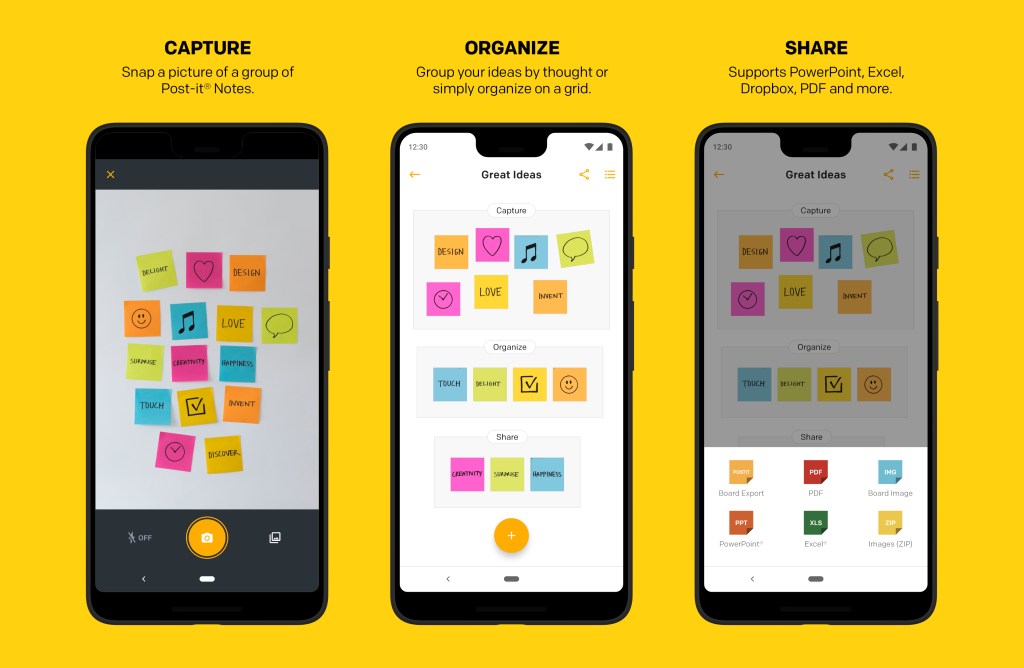
Next up is POST IT. Now we live in an age where taking down notes is an integral part of our lives but carrying around sticky notes is a bit outdated and cumbersome to manage. That’s where post it comes in. With the app, you can create custom sticky notes by just writing the note down with your finger. The app also lets you take and use photos as sticky notes to write your quick notes on. I personally like the aesthetic and organization capability the app provides you with. I’m talking about renaming group notes, that helps you have all related notes in one place, change the color of your sticky notes and even type your sticky notes if writing isn’t your thing. To top it all off, you can share the notes as PDFs, images, PowerPoint presentations etc. This is an app I use literally every day and it takes note taking to the next level.
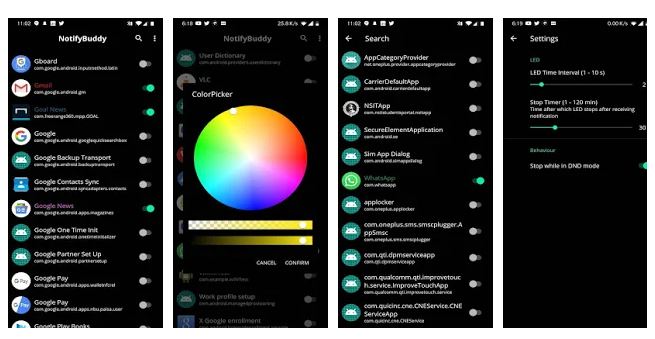
Next app is NOTIFY-BUDDY. Now I personally miss the notification LED that is slowly leaving smartphones by the day. It’s particularly useful if you want to know which app is sending you notifications without you unlocking your phone. Notify buddy aims at bringing that back. First you select the app you want to monitor, choose the color of the LED notification light set the number of intervals you want the LED to show, and you’re good to go. Every time you get notifications or messages from that app, you will see an LED flash on your screen.
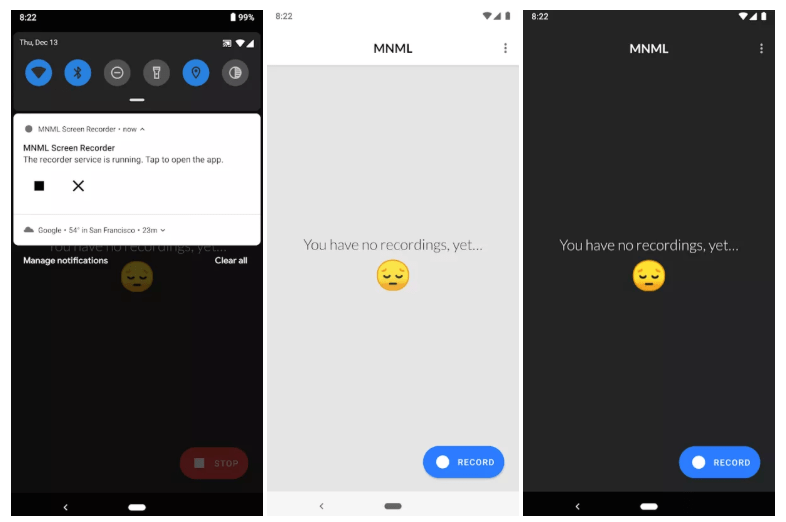
Next up on the list is MNML screen recorder. This is the app I use and recommend you guys to use if you’re in search of the perfect screen recording app. Just open the app, give it the permissions it needs then hit record and you are good to go. The app capture high quality screen images and impressive enough, it doesn’t lag once you’re done recording your screen, simply hit stop in the notifications panel and then you can watch or share your screen recording.
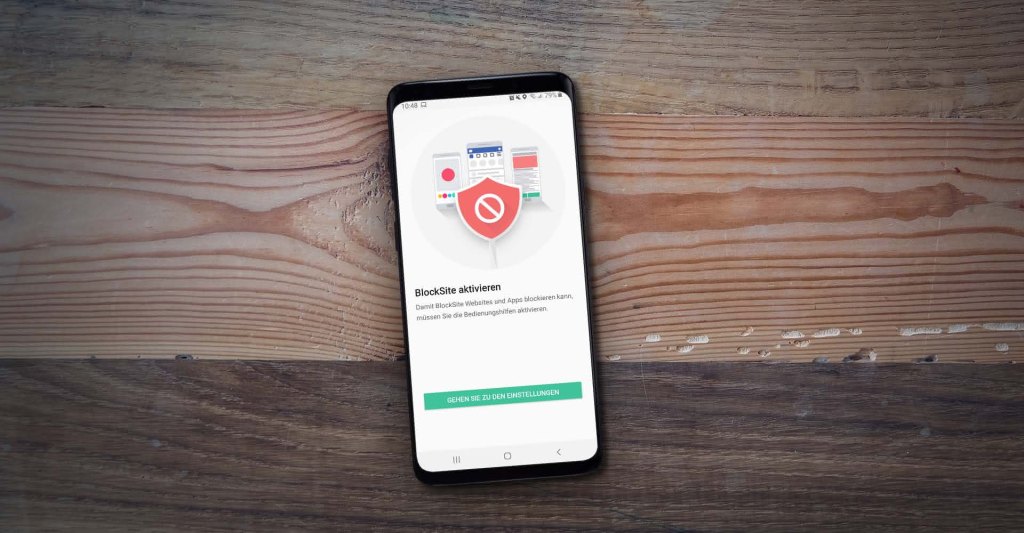
Next we have BLOCKSITE. This app is for you guys who want to take app access to the next level. The app allows you to block any access to apps or websites on your phone. Simply select the apps you want to block or enter website URL and each time anyone tries to access that app or website, they get a message prompt that they can’t access the app or site. The app also has a dedicated feature to block any adult sites, something that comes in handy if kids use your phone a lot. You can also set app timers that allow the app to be used for that specific set time after which the app will be blocked and you will not be able to use it till the break time elapsed. You can also access blocked sites and apps with your password or pattern that you set in the app.

I did say that I got something for everyone yeah? This next app is for you sport lovers. Sports lovers that want to have everything of theirs all in one application, THE ATHLETIC is the app for you. The app gives you an up-to-date news feed full of sport articles. Recommended sport videos and news. You also get to follow up on the stats of all the teams you follow in one place. I’m talking about live stats when the match is on going, who got carded, how many shots, pass accuracy and so much more if you dive into the match time-line. You also get to see the lineups of all the players set to play a specific match. To top it all off, the app gives you access to tons and tons of sport podcasts to choose from depending on the sport you follow. And when I say this, I mean it. This app has literally ever sport you can think off and it goes in depth with all sport Coverage. From EPL, to Bundesliga to NFL every league you can think of.
Next app is ASSISTANT SHORTCUTS. This app allows you to remap your assistant button which on most phones is the home button and configure it to carry out other tasks. You might say it’s no different from app number one on the list but this one does a lot more. You can remap the button to turn on your flash light. To take screenshot. To pull down your notification panel. To switch to the last app used. To lock your screen. To split your screen and much much more. You can even map it to launch specific apps you want.
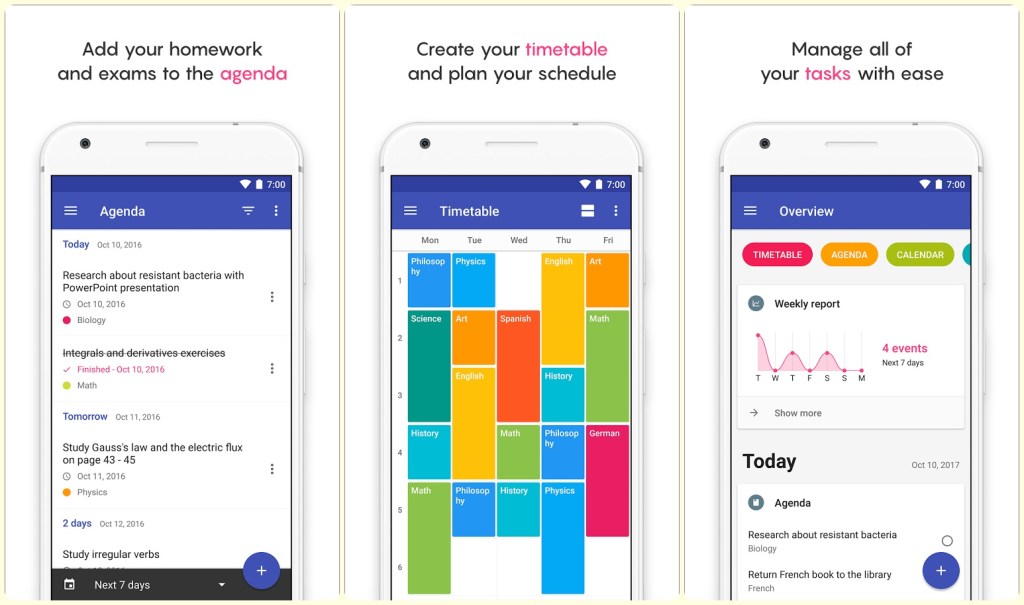
Final app on the list is for you students out there and it’s on this list because it’s personally helped me big time. SCHOOL PLANNER. The app allows you to set the number of terms in your academic year, the start and end dates of the semester or terms. Choose the notifications you want to receive and what time of the day you want to get them. And then you can start adding entries into your timetable. When your classes will be and which lecturer or professors will be taking you through that unit. It also allows you to fill in their details in the teachers section. The app also let’s you log in your attendance as either absent, delay for when you got to class late and early exit if you left class early. That way you are able to gauge your class attendance schedule easily. One feature I personally love about the app is that it allows you to record your lessons. You can record what your teachers teach and play it back later on in the day when you’re doing your revision. It also allows you to log in your grades in whichever grading system your institution uses. Cherry on top, you can use it to schedule your reminders for class, exams and your homework. So download it now and organize your school life. It’s easier that way.
Which apps are you downloading?
 Lord Hezion