
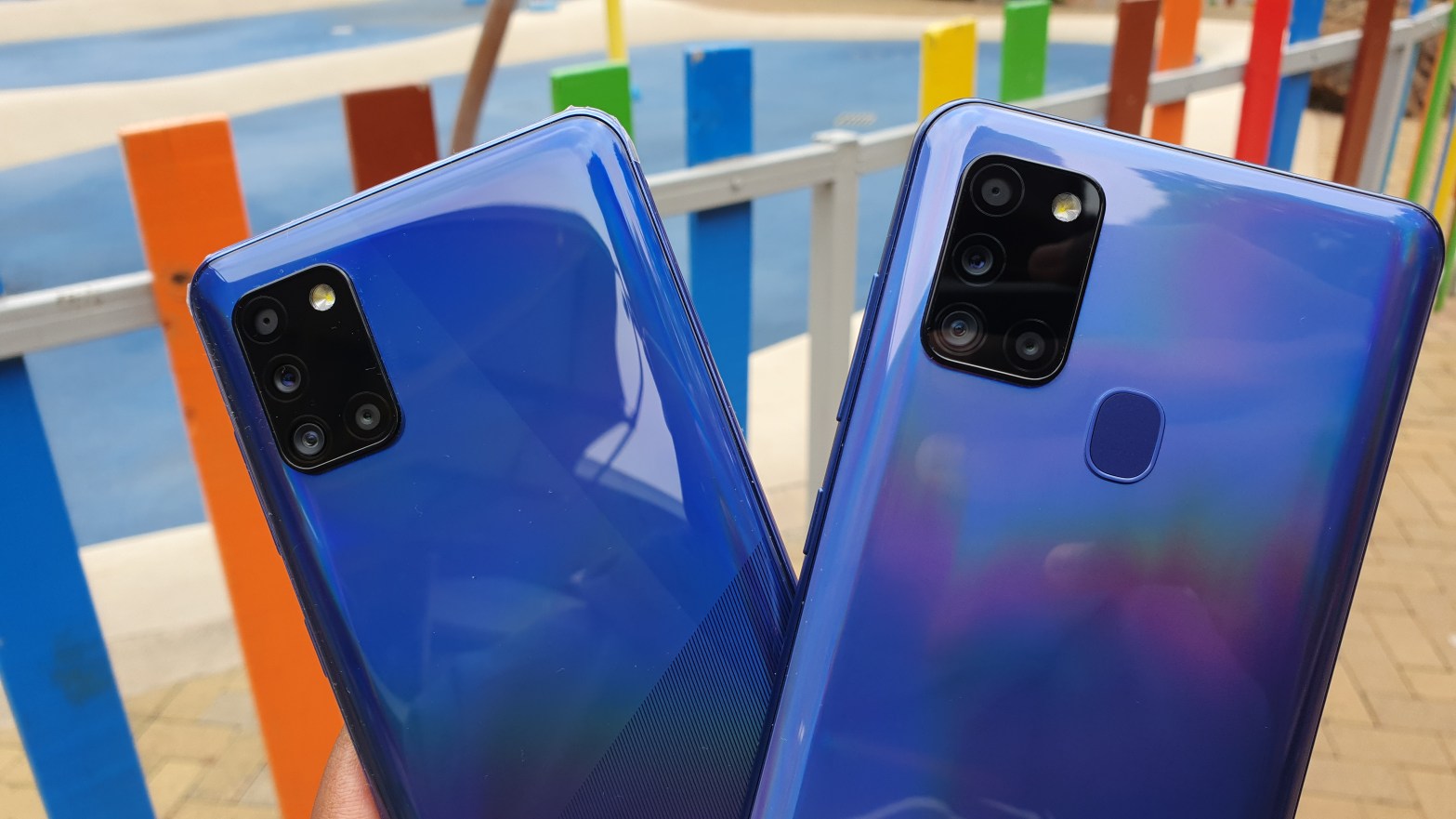
So here we’re going to compare the Samsung Galaxy A31 camera to the Samsung Galaxy A21s camera in a bid to set them apart. I’m also going to throw in the Samsung Galaxy S10 in the test as a control, just to give you a perspective of camera performance on 2020 mid-range phones and a flagship from last year ; and also for the sake of science.
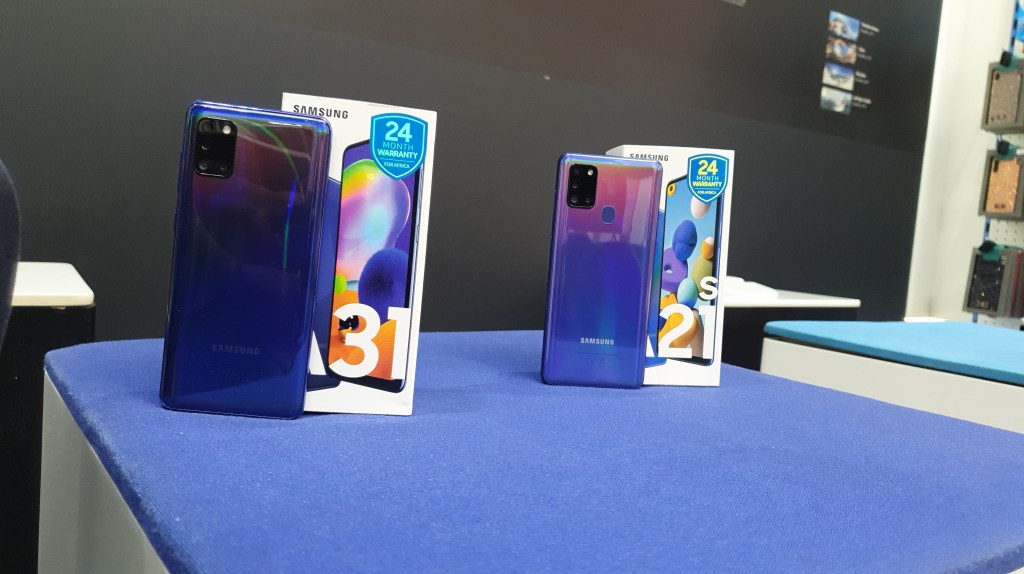
To start this off let’s quickly get you up to speed on what phone offers what and at what price. On the Samsung Galaxy A21s you get: a 6.5 inch TFT 720p display, Exynos 850 chipset, options between 64GB of storage and 4 or 6 GB of RAM or 32GB s of storage and 3 GB of RAM and a 5000mah battery powering the phone. All that totals to $210. On the Samsung Galaxy A31 you get a slightly smaller 6.4 inch super AMOLED screen, a MediaTek Helio P65 chipset, 128GB of storage and options between 4 or 6 GB of RAM or 64GB of internal storage and 4GB of RAM. A 5000mah battery powering the phone. All that sums up to $225. Both devices run on android 10 and One UI 2.1 straight out of the box.
Moving on to the camera specifications. On the A21s you get a Quad:
48 MP, f/2.0 (wide)
8 MP, f/2.2 (ultra-wide)
2 MP, f/2.4 (macro)
2 MP, f/2.2 (depth) rear camera and a;
Single 13 MP f/2.2(wide) front selfie camera.
On the Galaxy A31:
48 MP, f/2.0 (wide)
8 MP, f/2.2 (ultra-wide)
5 MP, f/2.4 (macro)
5 MP, f/2.2 (depth) rear camera and a;
Single 20 MP f/2.2(wide) front selfie camera.
On paper both phones have borderline similar specs with difference coming in the processor, gpu, screen technology, screen size and two or three camera lense. Even in the camera department they have similar camera interface and similar shooting modes. As such the best way to set them apart to be in the camera department. Again, the S10 is included in this test as a control, to give perspective and for the sake of science, you’ll see why at the end. Also note that I installed all the latest software updates on all phones, turned off any beauty modes and the camera lenses were cleaned prior to taking these shots. What you see here is the raw untouched image quality you’ll get if you chose to go out and buy the phones.
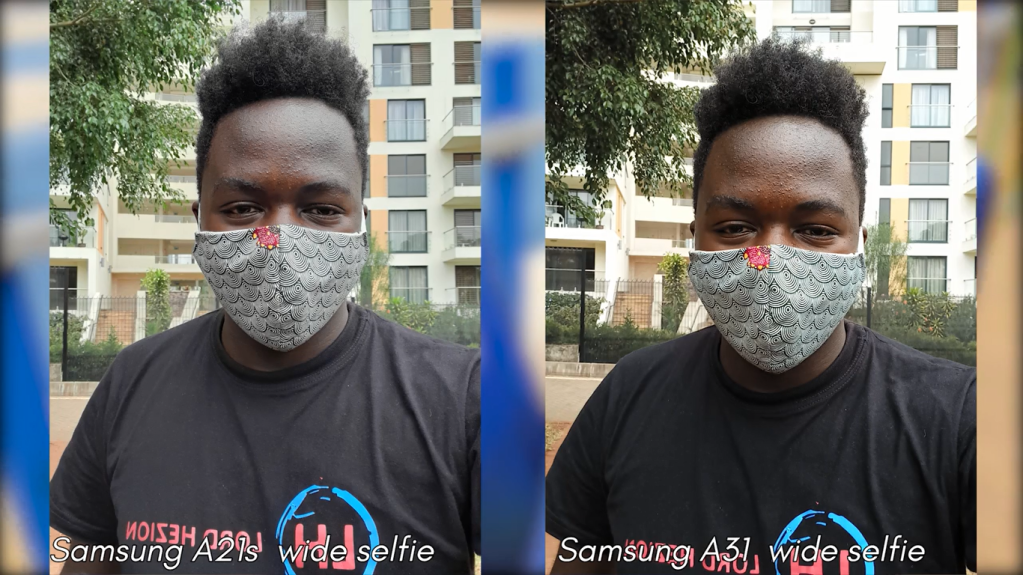
Lets talk about the selfie cameras, the images they put out.
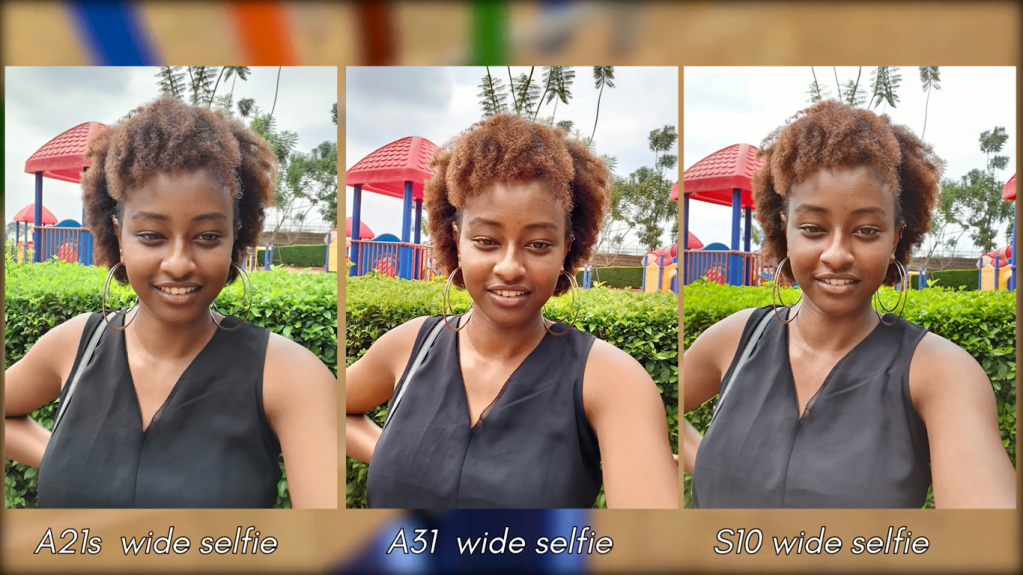
The selfies shot on both phones are pleasing to the eye. They feel rich, detailed and clarity is nothing short of amazing. From these samples you can see how the A31 sort of struggles with color temperature with results being a hit or miss from time to time. It’s nothing major but again side by side its something you can pick out with at first glance. Giving the phone more time to focus will actually fix the issue but even then, color temperature will still slightly vary.
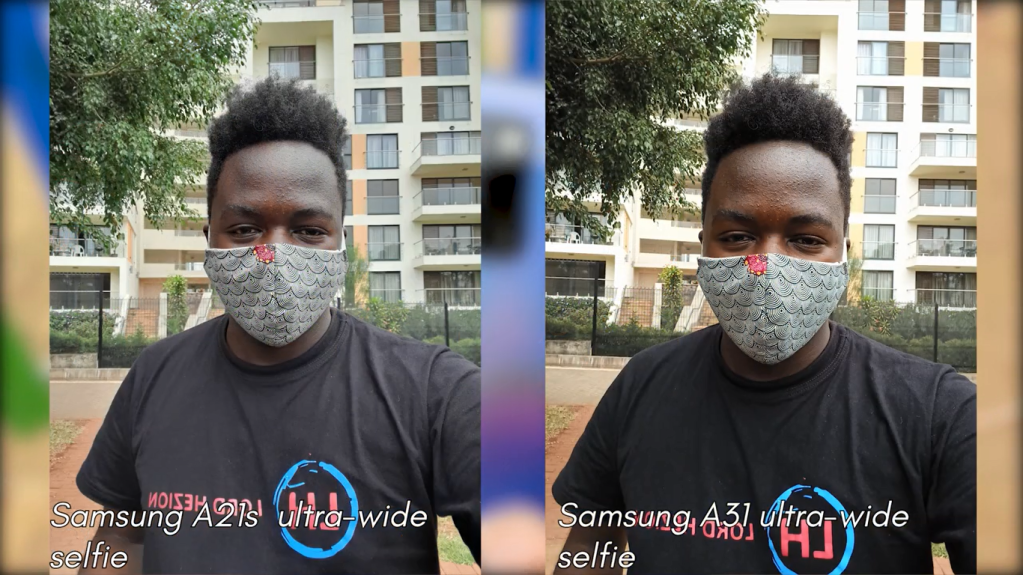
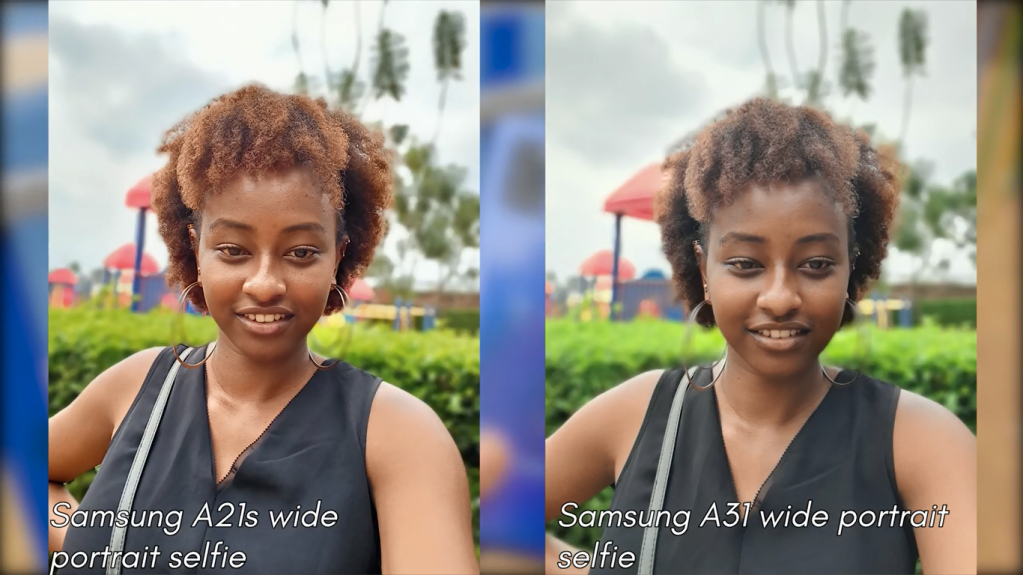
Switching to the ultra-wide angle, which is just a zoomed out crop perspective, it’s evident that the A21s manages to fit slightly more into one shot compared to the A31. Again the difference here comes in the color temperature where the Galaxy A31 gives cooler colour temperatures in its photos compared to those of the A21s. Both phones manage to keep the colours composed with nothing washed out of the shot. Side by side with the Galaxy S10 shots we can see that image quality across all 3 phones is quite literally at per in every aspect. Just the subtle differences that pop up when you stare at the pictures long enough. Stuff like the A31 and A21s fitting much more in ultra-wide selfies than the S10. Impressive. In terms of portrait shots on both phones, the genius software used to blur the background does a really good job in mapping out the edges of the subject in focus while keeping the clarity and the colors of the shot top notch.
A couple of things worth noting here though is:
- The camera software really struggles to find your face in portrait mode when you’re wearing a mask. So for the best portrait shots, your mask has to come off and
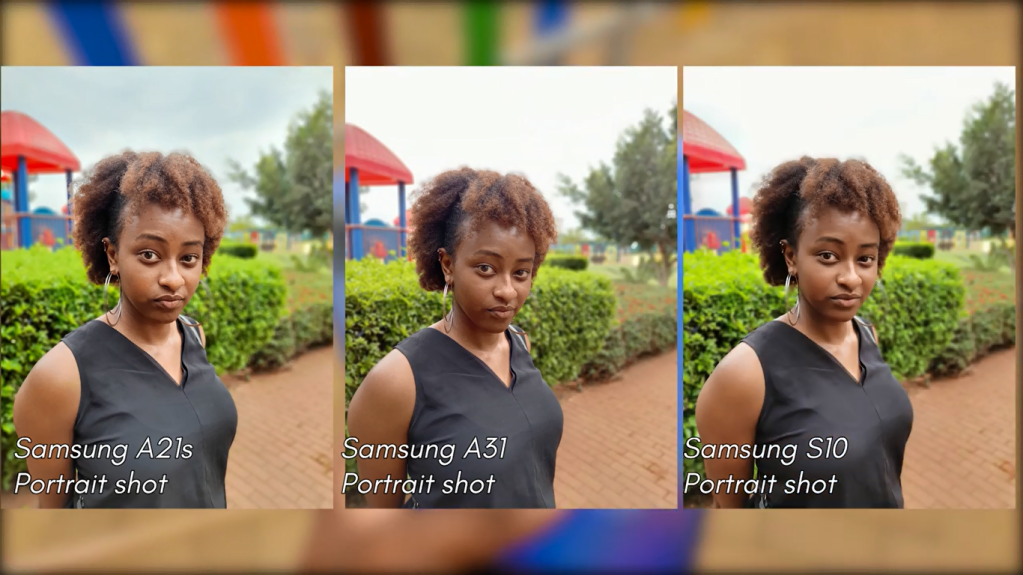
- The Galaxy A31 really softens the portrait shot. Its like it blurs the whole frame, then tries to evenly spread the blur in the background and leave a slight amount of blur on the subject to give an impression of a perfect portrait shot. This is clearly seen with how the edges of Cate’s arm o. The A21s are sharp and precise compared to that on the A31 that’s really really soft. This is consistent even on her hair where the Galaxy A21s manages to keep her strands sharp and in focus, compared to the A31 where it’s lightly blurred.
3. Samsung also allows you to play around with the blur effect, in post after the shots are taken 4. And lastly The Samsung galaxy S10 cannot shoot portrait selfies in ultra-wide angle mode even after receiving the latest camera updates.
On front facing video. Samples were both shot with the ultra-wide angle lens and first impressions are good. Impressive even. The 20 and 13 megapixel 1080p video on both phones really brings out the clarity of the object in frame. Video on the A31 seems slightly over exposed but the phone quickly recovers and balances the exposure as you keep recording. On here the phones have the same colour temperature and manage to stay consistent even when you move around. However, a difference I noticed between both phones was in how the video looks in the viewfinder as you shoot the video. The footage in the viewfinder of the A21s looks clearer, more stable, more composed, natural and balanced, compared to that on the A31 that is heavily sharpened. As if the phone is trying to convince you on how it puts out sharp quality video, only to iron out and balance everything in post. It’s nothing too forthcoming about the phone but it’s something worth noting. For video samples, watch the embedded review video below
With more and more vlogging I did on both phones I ended up liking the front facing video on the A21s which just felt natural, consistent and overall a good camera experience for me. Again, just a personal preference. Comment below. Again Sound quality on both video samples from both phones is good and I’m impressed with how they managed to cancel or minimize all the background noise.
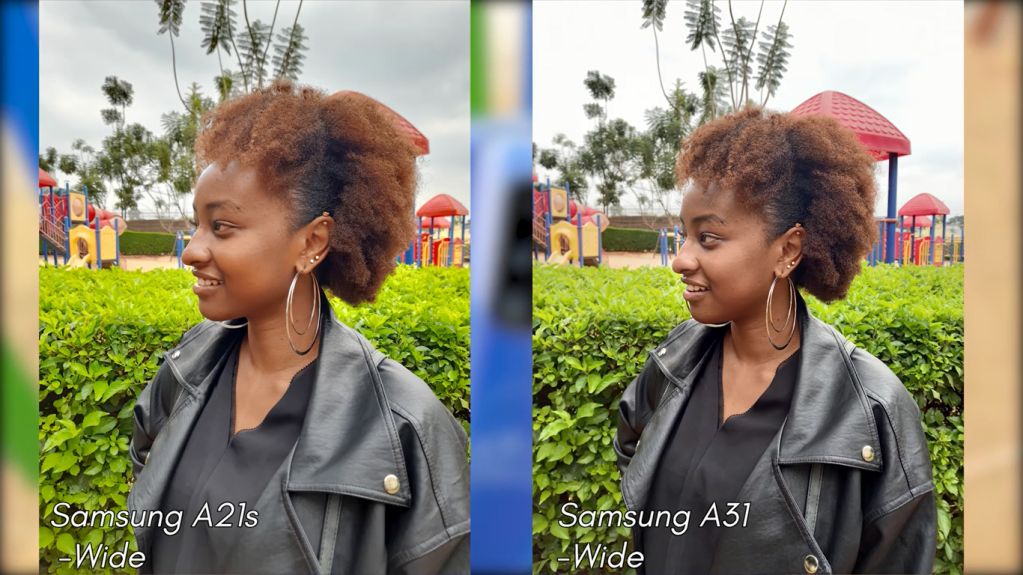
Moving on to the rear main cameras on both phones. As you can see the wide 48MP shooter on the galaxy A 31 and Galaxy A21s bring out some pretty impressive shots. In a nutshell they’re good point and shoot cameras. Straight off the bat they’re consistent in colour accuracy, detail and sharpness with nothing blown out of the shot. They’re so similar that when you put some shots side by side it’s pretty hard to tell the difference. HDR coupled with wide angle images are punchier as seen from the blue in the sky and the green in the hedge. In this mode we see a switch in colour temperature where the A31 now puts out warmer tones compared to the cooler tones of the A21s. This stayed consistent in the shots I took but didn’t affect the overall quality or feel of the images. Throw in images shot on the galaxy S10 and things get tighter. In fact the A21s and the S10 put out similar colour temperature which is very interesting and quality wise this just gives you a perspective of how image quality across both phones is in one way or another pretty similar.
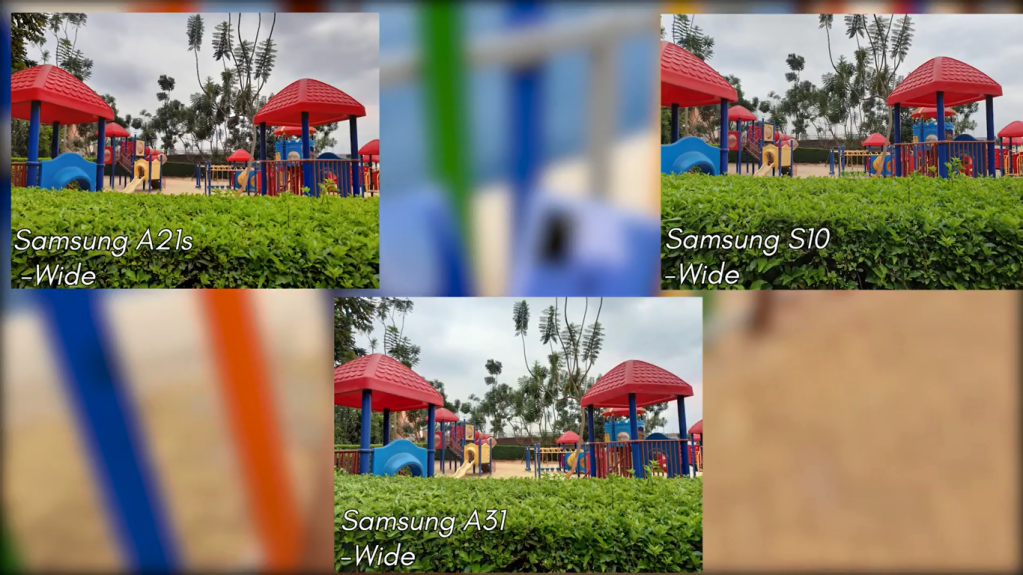
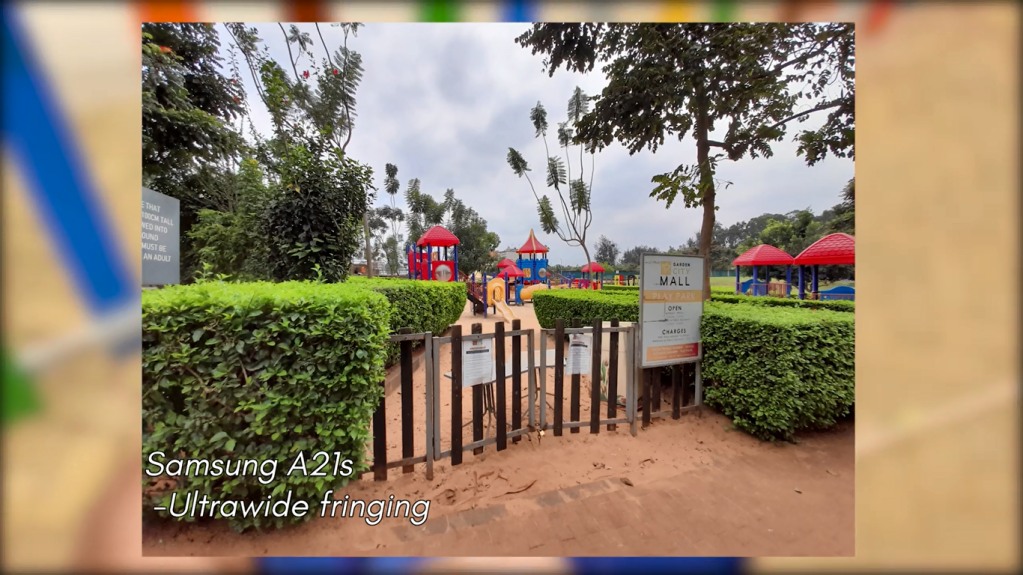
Moving on to the Ultra-Wide shots, both phones spot a 8 MP ultra-wide angle shooter and I must say here is where I experienced zero differences. And rightfully so right? Firstly, Both phones fit a lot into the frame. Colour temperature in the images here are also the same and both phones manage to keep things consistent all through the other shots. In that similarity, they also share a flaw on how the edges of the shot closer to the frame are fringed giving them this sort of unwanted blur. As if the shot was taken on a windy day with the trees swaying when they weren’t. This is further clarified when you stack the A31 and A21s photos side by side with those of the S10 that doesn’t experience this sort of edge fringing. This edge fringing issue was also experienced in the Samsung Galaxy A51 when i was comparing it to the S10 where it also stayed consistent and its something Samsung should address in a future software update. I’ll link that Samsung galaxy A51 vs Galaxy S10 camera comparison video right under that like button if you haven’t checked it out. Again colour processing is top notch and nothing seems too exaggerated or blown out. One thing is for sure, both phones allow you to fit a ton more into your shots and are really keeping up with the images shot on the S10 and that’s a bold statement from these phones.
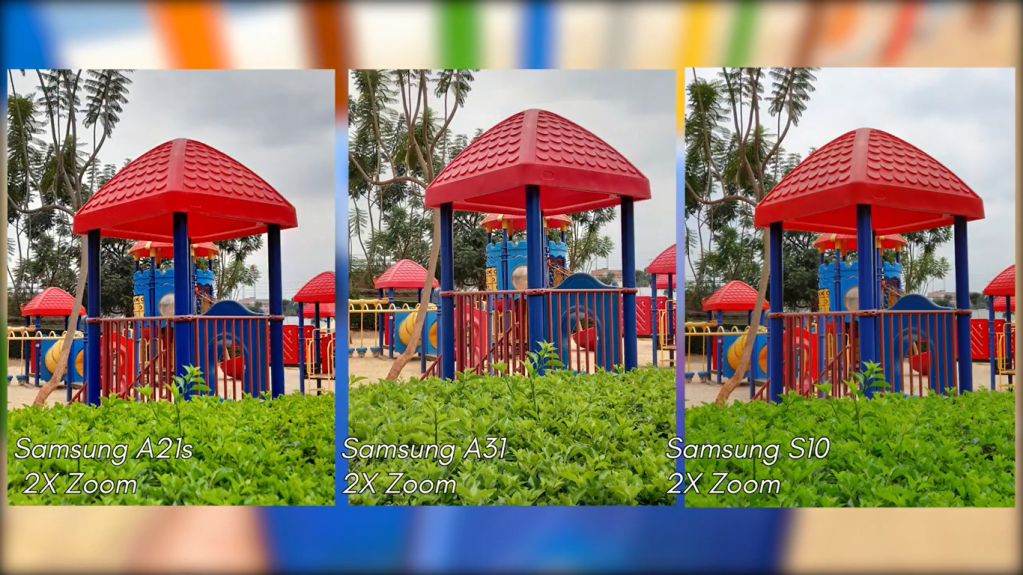
Now in these tests I decided to take things further to really push the phones to their camera limits. See what they can really do. I decided to do this by pushing them all the way to 2x and 3x. And all I can say is they performed brilliantly. At 2x images are sharp and just pleasing to look at. Mind blowing at how colours are consistent, clarity is top notch, exposure and saturation are well balance. Going into this text I was sure the S10 was going to perform well since it has a dedicated 2x telephoto lens, but how the A21s and A31 put out similar images without a dedicated telephoto lense is just stellar.
I then pushed them further to 3x and the results speak for themselves. Nothing is overexposed. Phones handle the colours and keep everything natural. And it’s just mind blowing how close to an object to can get without physically moving towards it and get clear sharp images of it. Also note that Colour temperature at this point will vary across all phones but no loss in detail. Also note, past 3x things start to get finicky and quality degradation is imminent. 3x is the sweet spot and past that images are quite literally unusable.
Moving on, I have no complains in the portrait mode section on both phones. The blur is mapped out very clearly and nothing intrudes onto the object in focus and results stay consistent. The Galaxy A31 and galaxy A21s both do a good job keeping the colour temperatures consistent in the shots. To a point, they even rival those shot on the Galaxy S10 and thats a bold statement from these phones.
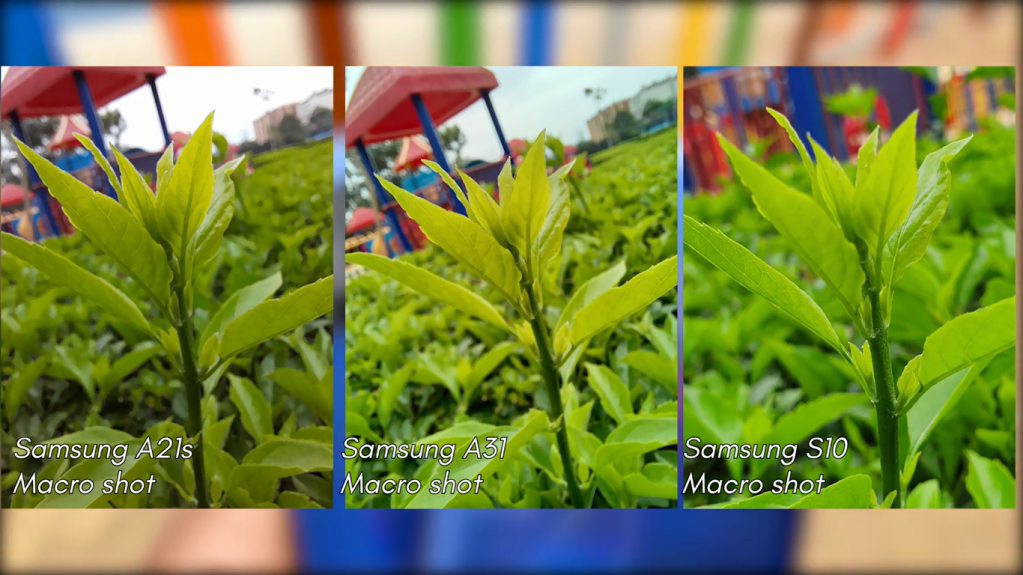
The other lens left here is the macro lens which allows you to get super close to say 3 cm to an object to capture a macro photo. You guys already know how I feel about macro lenses on a smartphone but since it’s present on both phones they’re worth a review. Macro shots on both phones are good, impressive, detailed. But it’s presence doesn’t really make sense because the S10 lacks a macro lense but hold the phone close to the object you want to take a shot of and it does a stellar job. Infact I like the macro shots on the S10, it’s just a matter of personal preference.
In terms of video, both phones can shoot up to 1080p at 30 frames per second and use electronic image stabilisation to give you that smooth video output even tho the videos were taken when phones were hand held. Here is a sample of video.
Audio quality is also impressive. The mics are doing good job of keeping focus on you and lowering any background noise. Both phones also do a good job when recovering colour temperature after you move around while recording. Another thing to note is these phones don’t allow you to switch between lenses as you record, like the galaxy S10 so you’ll just have to do with zooming in to the object in frame to get close.
Alright so let’s wrap this up, you’re paying roughly 210 dollars for the A21s and Just under 230 dollars for the A31, are you getting your money’s worth? Well, yes you are, for the price, these two offerings from Samsung are proving to be quite competitive and ready to perform in that midrange section. From performance to design to storage options to the camera section, both phones are an ideal upgrade from last year’s A20 and A30. The cameras, as we’ve seen in this video are good and get a thumbs up from me. We’re they come up short I’m confident Samsung can iron out in a future software update. Knowing Samsung very well, those updates are set to come pretty soon.They’re perfect for people that want a good camera that can perform and don’t want to spend flagship money for that camera. Now things get thick in my line of duty where I have to justify a cheaper priced phone performing similarly or even better than a higher priced phone and this here is the case. In my opinion, the Exynos chip on the A21s, the MediaTek A31 and Snapdragon chip on the S10 do have a part to play in the photo aspects we’ve seen in this video. What is for sure is how the A31 and A21s are so close to the S10 and st some point even perform better than the Galaxy S10. This might be a case of new hardware beating the old but its quite something. It’s really comforting for a buyer to know they don’t need to spend discounted flagship money on last year’s premium device but can spend midrange money on the latest midrange 2020 device and get a just as good or even better camera. Yes the S10 has a ton of camera features not present on the A31 and A21s, but that wasn’t the point here, the S10 was just a control, to give perspective and I think mission accomplished. I’ll say it again. midrange phones are improving day by day and catching up to flagship phone photos. It’s mind blowing


















 Lord Hezion